My

My
Geje PuwooL

Sabtu, 15 Oktober 2011

NOKIA DCT3

Model
Type
Version
Download
2100
nam-2
5.84
3210
nse-8
6.00
3310 - 3315
nhm-5
6.39
3330
nhm-6
4.50
3410
nhm-2
5.46
5110
nse-1
5.30
5210
nsm-5
5.40
5510
npm-5
3.53
6110
nse-3
5.48
6150
nsm-1
5.23
6210
npe-3
5.56
6250
nhm-3
5.03
7110
nse-5
5.01
8210
nsm-3
5.31
8810
nse-6
6.02
8850
nsm-2
5.31
  
NOKIA PM
1100.pm 2650.pm 6070.pm 7200.pm
1100_Main.pm 3100 S.pm 6100.pm 7210.pm
1100-RH18.pm 3108.pm 6101_FULL_PM 7250.pm
1100-RH36.pm 3120.pm 6101.pm 7250I.PM
1100-RH38.pm 3200.pm 6103_PM 7260.pm
1101.pm 3200b.pm 6108.PM 7280.pm
1110.pm 3220.pm 6111.pm 7360.pm
1110i.pm 3300.PM 6200.pm 7360_FULL.pm
1112 No IMEI.pm 3320.pm 6220.pm 7600.pm
1112.pm 3360_3320 .pm 6230.pm 7600_ful_PM
1200.pm 3510.pm 6230_bluetooth.pm 7610.pm
1208_FULL_PM 3510i.pm 6230_full_pm 7610-BlutoothFix
1208_PM 3510i_pm_KEYPAD 6230i.pm 7650.pm
1220.pm 3520.pm 6260.pm 7710_PM
1221.pm 3595.pm 6310.pm 8310.pm
1600.pm 3650.pm 6310i.pm 8800_PM
1600_FULL_PM 3650_Nhl-8_Main.pm 6320i_PM 8910.pm
1650.pm 3660.pm 6510.PM 8910i.pm
1650-full.pm 5100.pm 6560.pm 9500.pm
2220.pm 5140.pm 6600.pm n70.pm
2300 RM4.pm 5140i.pm 6600_Nhl-10_Main.pm 2600c_Full.pm
2300 RM5.pm 6020_FULL_PM 6610.pm N-Gage QD.pm
2300.pm 6020.pm 6610i.pm N-GAGE.pm
2300_rm4_full.pm 6030 No IMEI.pm 6630_PM N-GAGE_Nem-4pm
2310_PM 6030_Full_PM 6650.pm  
2600.pm 6030.PM 6670.pm  
2600_RH59_full.pm 6030b_Full.pm 6680_PM  
2626_PM 6030b_Signal.pm 6800.PM  
2630 PM 6060.pm 6820.pm  
   
ERASE FLASH
3650_erase 6600_erase 7650_erase N-Gage Full Erase
7250i_fullerase NEM4_ERASE32mb NHM_7_EERASE RH_18_1100_EErease
nhl2_eerase nhl2_eeraseFULL nmp9_eerase  
BB5Erase_8MBrap BB5Erase_16MBrap BB5Erase_32MBrap  

Rabu, 12 Oktober 2011

The following table lists errors that can occur in the Java virtual machine (JVM) on BlackBerry handhelds.

101 Previous startup failed The device has been reset during the JVM boot process. This error indicates that the JVM found the "boot in progress" flag was set on startup. The screen is intended to break continuous reset loops so that corrective action can be taken.

102 Invalid code in filesystem The system has checked the .COD files in the handheld for modification, and determined that there is a problem with one or more .COD files. If all loads fail, it could indicate a build process error where there was a problem signing the codfiles. If some user action to the device caused this problem, the reset cycle will be continuous since the code in the filesystem has been corrupted. The only recovery method is to wipe the device and restore a new system.

103 Cannot find starting address The starting address for the boot .COD file cannot be found. This may indicate that a boot .COD file has not been installed on the device, or that its format is invalid or corrupt.

104 Uncaught: <Java-type-name> An uncaught Java exception was thrown by the Java code and diagnosed by the JVM. Execution can be continued, or the handheld can be attached to a debugger on a desktop through a serial or USB cable. The event log should contain the traceback of the thrown exception.

105 Example, DbRecSize( %d ) -> %d The file system API has returned an error status for a certain operation. This could indicate a corrupt filesystem or an error in the JVM.

106 Graphics system error An error has been detected in the graphics system of the device.

107 operator new() called A C++ class in the JVM has not been coded correctly to inherit from VMRamObject that has the correct override for operator new. Extract the current (post-reset) BUGDISP

108 operator delete() called A C++ class in the JVM has not been coded correctly to inherit from VMRamObject that has the correct override for operator delete. Extract the current (post-reset) BUGDISP.

109 PriorityMessageCount error: <priority-count> The value returned by RimPriorityMessageCount is negative when it should always be greater than or equal to zero. This indicates an error in the OS code. Extract the current (post-reset) BUGDISP and EVENTLOG.

110 Non-idle event downtime error: <down-time> <idle-down-time> A problem has been detected in the accumulation of JVM down time, which represents how long the JVM has been idle. This usually indicates an error in the handheld firmware or the JVM. This could also occur if the tick count rolls over after 400+ days of device time.

111 Font engine error An error has been detected in the font engine system of the device. Extract the current (post-reset) BUGDISP and EVENTLOG.

112 Java Native Assertion Failure An error has been detected in the Java native code. Extract the current (post-reset) BUGDISP and EVENTLOG.

200 Application manager threw an uncaught exception The application manager event thread threw an uncaught exception and so cannot continue execution.

201 Crypto initialization code failed The initialization of the crypto system failed and the handheld cannot continue execution.

202 An attack on the key store has been detected The attack has been detected and execution cannot continue.

203 Console process died The application manager console process (usually the Ribbon) has died. This is likely due to an uncaught exception during execution.

204 Persistent Content Exception An application tried to commit a plaintext object to the Persistent Store. This will only happen if Content Protection is on and a process tries to save something in the PersistentStore that is marked as plaintext. Since this exception was not handled, the persistent store is in a bad state. We need to reset to roll back to the last good commit point. NOTE: This JVM error reflects an error in the Java code, the JVM is simply diagnosing the error. This is not a JVM problem, the eventlog will contain information about the erroneous Java code.

501 VM_THREAD_SWITCHED: Internal Error This is an error return used internally in the VM. It should never be reported as a device error.

502 VM_PROCESS_DEATH: All processes exited The last Java process has terminated. There is nothing left to execute.

503 VM_THREAD_DEATH: Internal Error This is an error return used internally in the VM. It should never be reported as a device error.

504 VM_THREAD_SWITCH: Internal Error This is an error return used internally in the VM. It should never be reported as a device error.

505 VM_BAD_CODE: Bad Byte Code An error has occurred in the JIT compiler.

506 Uncaught Exception An uncaught Java exception was thrown in the initial VM Java thread thus ending the only live thread in the system. The eventlog contains the traceback for the exception.

507 Unsatisfied Link A dependency on a .COD file could not be satisfied because the .COD file is missing.

508 Invalid object A problem has been detected with a debugger command to the VM.

509 VM_PPO_INFINITE_LOOP: infinite loop in PPO phase of GC The maximum iteration count for the PPO phase of a GC must be the maximum number of file handles in the system. This error indicates that the iteration count has exceeded that count and hence there is a flaw in the PPO loop or a corrupted file system. The extra hex integer in the error string is the flash id of the current record where the infinite loop was detected.

510 Deadlock All threads are waiting on objects, resulting in deadlock. The system cannot recover from this state because no thread can release a lock.

511 Debug connection died A problem has occurred while debugging that may be caused by a VM problem or an incorrect debugging command being sent to the VM.

512 GC Aborted An idle garbage collection has been interrupted by a user event, such as pressing the keyboard or moving the trackwheel.

513 <clinit> needs running An opcode requires that a class <clinit> execute before it can continue execution.

514 <init> needs running A new instance of a class has been allocated and it must be initialized by the default constructor before it can be used.

515 Object group too big The reachable objects form a group that cannot be represented properly by the JVM because either there are too many objects or the total size of the objects is too large.

516 Persistent ids exhausted When committing a persistent object, the JVM found that the persistent store id counter has reached its limit. The object was not committed and a critical error was reported. This error should never happen unless a device is heavily used for years.

517 Filesystem corrupt An inconsistency has been detected in the JVM persistent object store.

518 Unexpected longjmp A garbage collection marking phase was terminated via a longjmp. This indicates that the marking phase was interrupted when it should have completed without interruption. This should never happen because these actions are executed when the device is not idle, and GCs can only be interrupted when the device is idle.

519 Internal Error The JVM host is missing or has been disabled.

520 Internal Return An internal state that indicates a Java method return needs to be executed.

521 Dangerous Wait An Object.wait() has been executed by a thread that holds a lock on another object. This is only checked in the simulator under the control of the JvmDebugWaits application switch.

522 Interlaced synchronization A thread has acquired two locks on objects in an order that doesn't match the order that previous locks for the two types were acquired. This indicates a future potential deadlock situation and is reported. The check is only available in the simulator under the control of the JvmDebugLocks application switch.

523 System process died A critical Java process has terminated, and the device cannot continue to operate in a normal manner.

524 LMM error An object has been marked as recovered by the Low Memory Manager, but it was not freed during a garbage collection. This is only checked in the simulator under the control of the JvmDebugLMM application switch.

525 Bad persistent object An auto-commit operation during a garbage collection has detected a non-persistent object reachable from the persistent store root. The type of the object has been output into the eventlog.

526 java.lang.Object not found The class definition for java.lang.Object cannot be found.

527 java.lang.String not found The class definition for java.lang.String cannot be found.

528 Corrupt filesystem. Unrecoverable. All data will be lost

All data will be lost when execution is continued. The error message screen contains a number representing an internal "reason" for the corruption. This error is not diagnosed if a .COD file has been removed, because the JVM must delete objects that were defined in the removed .COD file; therefore, this error is not expected in normal operation of the device.

Reason codes:

1. root array reference is not a valid array reference
2. root array type is not Object[]
3. root array size < 1 (i.e., Object[0])
4. contents of root[0] is not a valid ref
5. type of root[0] is not a LongIntHashtable
6. persistent segmented array header contains an invalid reference
7. an entry in a persistent Object[] contains an invalid reference
8. an Object's type refers to an unknown codfile
9. an Object's type description in the codfile doesn't match the size in the store
10. a reference type field in an Object has an invalid reference in it
11. a reference type field in an object points to an object of the wrong type
12. a persistent Object[] is missing its descriptor
13. object in persistent store is not marked as persistable
14. root array is segmented and one of the segments is invalid

529 Corrupt filesystem. About to attempt recovery. Some data may be lost

Some data will be lost when execution is continued. The error message screen contains a number representing an internal "reason" for the corruption. This error is not diagnosed if a .COD file has been removed, because the VM must delete objects that were defined in the removed .COD file; therefore, this error is not expected in normal operation of the device.

Reason codes:

1. root array reference is not a valid array reference
2. root array type is not Object[]
3. root array size < 1 (i.e., Object[0])
4. contents of root[0] is not a valid ref
5. type of root[0] is not a LongIntHashtable
6. persistent segmented array header contains an invalid reference
7. an entry in a persistent Object[] contains an invalid reference
8. an Object's type refers to an unknown codfile
9. an Object's type description in the codfile doesn't match the size in the store
10. a reference type field in an Object has an invalid reference in it
11. a reference type field in an object points to an object of the wrong type
12. a persistent Object[] is missing its descriptor
13. object in persistent store is not marked as persistable
14. root array is segmented and one of the segments is invalid

530 VM_PREVENT_GC_OVERFLOW: _preventGC overflow A fixed number of native objects can be protected from being garbage collected. This error indicates that a native has exceeded the fixed limit of objects that can be protected. If the device is reset or thread tracebacks are logged, the name of the actual native can be extracted.

531 Flash exhausted There are certain operations where the JVM cannot tolerate running out of flash space. In these circumstances, this error will be reported if the JVM cannot allocate a required amount of flash space.

532 VM_ASSERTION_FAILED: Assertion failed Normally this JVM error should never be reported since the device is not shipped with assertions enabled. The simulator may report this error in debug mode indicating a VM assertion has been violated. Try typing BKPT to activate the debugger and dump the native call stack for forwarding to the VM team.

533 VM_RUN_METHOD: <method> needs running Used internally for ECMAScript to call Java methods.

534 VM_FAST_RESET_DISABLED: Fast Reset Disabled Used internally to indicate that fast reset capability is not available. Often used in platform-specific code.

535 VM_UNUSED_535: Unused Unused vm error.
Error 535 means out of memory. A reason for error 535 could be that the virtual memory thread scheduler ceased when a thread ran out of memory. This error is known to occur during a start-up sequence or if the main event thread ceases.

Resolution
First, hard reset the handheld. If this does not resolve the issue, obtain the latest version of the BlackBerry handheld software through your carrier. Then, run Application Loader from BlackBerry Desktop Manager to update the handheld.

Delete some themes/ringtones etc to make space.

536 VM_FAST_RESET_BAD_INSTANCE: VM Instance Check Failed Used internally to indicate that the VM structure passed in is at the wrong address or has been corrupted.

537 VM_FAST_RESET_BAD_HEAP: Heap Check Failed Used internally to indicate that the VM heap has been corrupted or pointers into the heap have been corrupted.

538 VM_FAST_RESET_BAD_IRAM: IRAM Check Failed Used internally to indicate that the VM IRAM checks have detected corruption of VM data structures (threads + local stacks) that reside in IRAM.

539 VM_FAST_RESET_NOT_IDLE: Not Idle Used internally to indicate that the VM was not idle when the reset occurred and, as such, cannot continue with a fast reset.

540 VM_FAST_RESET_MULTIPLE_RESETS: Multiple Resets Used internally to indicate that the time since the last fast reset is less than a minimum time. By disallowing multiple fast resets in a short amount of time, this should prevent fast reset loops.

541 VM_HEAP_COMPACT_INFINITE_LOOP: infinite loop detected in heap compaction The VM has detected a problem in its RAM heap that indicates its RAM has been corrupted. The problem was detected by identifying a possible infinite loop during RAM heap compaction. A bugdisp log and eventlog should be extracted quickly when the device is in this condition. If possible, images of RAM should be saved.

542 Transient memory leak The JVM has detected that some memory has not been freed, which indicates that a memory leak has occurred. This condition is detected as early as possible in the hope that the cause can be isolated.

543 VM_FS_MISMATCH: Incompatible Java filesystem installed The VM has detected that the OS binary is different than the OS binary used to create the Java file system. This means that the Java native methods may not be linked properly and as such, the integrity of the system cannot be guaranteed. The system can be recovered by using the VM DLFX and DLPS commands to delete the fixups and persistent store. This will clear all data and fixups and let the filesystem relink to match the new OS binary. The recovery order is important: 1) Delete Fixups 2) Delete Persistent Store 3) Reset device.

544 VM_SECTION_MAP_OVERFLOW: a module references more than 255 other modules The VM has detected that a module is trying to reference more than 255 other modules. The filesystem should be extracted immediately when this error is detected.

545 VM_INCOMPATIBLE_FILESYS: an incompatible or corrupt filesystem was found The VM has detected an incompatible or corrupt filesystem. The filesystem should be extracted immediately when this error is detected.

546 VM_UNUSED_546: unused The VM has detected that the RAM image of its filesystem is corrupted (failed CRC check) Better to reset than to duplice the corruption into flash.

547 VM_UNUSED_547: unused Unused vm error.

548 VM_UNUSED_548: unused Unused vm error.

549 VM_UNUSED_549: unused Unused vm error.
Mau share nih caranya inject nomer CDMA di Blackberry 8830, kalau untuk HH CDMA lainnya sih belum coba

1. Type ##000000 (Dial)
2. Di MDN (Mobile Destination Number), isi nomer yang akan di inject, jangan gunakan nol / 0 untuk CDMA Cellular (Fren, Smart), untuk CDMA FWA (Flexi, Esia, Hepi, StarOne) langsung isi no MDN saja, untuk kode are tidak perlu di isi.
3. Di bagian IMSI, silahkan IMSI untuk MDN tersebut, kalau di CDMA namanya MIN (Mobile Identification Number, biasanya diiringi dengan angka 198xxxx
4. Sisanya default.
5. A-Key, nah ini bagian yang cukup sulit, konsep inject itu sendiri adalah, mengawinkan MDN dengan ESN si HH / Handset. Biasanya di outlet-outlet yang terima inject, dia udah bekerja sama dengan operator setempat. Caranya adalah, kita kasi tau ESN dan MDN agar A-Key nya bisa tergenarate, total nomer yang akan diisi di field A-Key sebanyak 26
6. Di field bagian bawah adalah untuk aksed data (Usernam & Password), ini sama seperti kita isi Field APN di Option, Advance Option, TCP. Kalau di CDMA field ini yang akan diisi. Isi sesuai dengan pilihan operator masing.
7. Tekan Blackberry Menu (lambang blackberry) pilih SAVE, nanti dia akan merestart HH secara otomatis.

Note :
Bagian yang paling tersulit adalah, mensetting PRL untuk HH kita, ini dibutuhkan software khusus, karena sampai sekarang saya masih belum menemukan key untuk mengeluarkan menu PRL.
Mungkin teman-teman ada yg menggunakan handset CDMA keluaran Nokia, pernah mengalama kejadian Roaming (lambang segitiga) dibagian atas. Kenapa ini bisa terjadi? Karena pada handset CDMA keluaran Nokia, semua PRL operator CDMA di Indonesia didaftarkan, begitu kita ga dapet signal, si handset akan mencari signal terkuat berdasarkan PRL yang ada di memorynya (Sequence)
Untuk Blackberry tidak demikian, karena di Amerika sendiri, mereka sudah pasti akan meregister unit-unit mereka dengan settingan PRL mereka masing-masing. Jadi tidak akan terjadi overlapping.

Semoga membantu, walaupun tidak sepenuhnya langkah inject ini saya utarakan dikarenakan beberapa point diatas (Note)

Selamat Mencoba

Berpikirlah sebelum anda membeli BlackBerry!!
beberapa orang membeli blackberry atau disingkat BB dan akhirnya kecewa.
Kenapa?
karena mereka tidak tahu apa yang seharusnya dilakukan jika punya blackberry.
dan setelah tahu merekapun kecewa.
kejadian ini hanya terjadi pada kalangan menengah kebawah.


akan ibnux jelaskan apa yang perlu anda ketahui sebelum membeli Ponsel blackberry.

Blackberry mengharuskan kita berlangganan jaringannya agar bisa menggunakan Push email dan internetnya. bisa juga menggunakan jaringan gprs biasa untuk berinternetan. tetapi untuk push email nya tidak bisa.
untuk bisa berlangganan Blackberry Internet Service (BIS) anda harus mengeluarkan uang yang lumayan. dan biaya BIS ini terpisah dari SMS dan telepon.

berikut harga2 yang ditawarkan oleh operator (prabayar)

Indosat
Rp 160rb/bulan
Rp 50rb/minggu

Telkomsel
Rp 180rb/bulan

XL
Rp 150rb/bulan
Rp 5rb/hari

AXIS
Rp 100rb/bulan
Rp 25rb/minggu
3900/hari

Ingat! biaya diatas berbeda dgn pulsa biasa (sms & telepon)
untuk sms dan menelepon anda harus membeli pulsa lagi.

Jangan berpikir setelah membeli BB anda akan menjadikannya sebagai modem agar internetannya bisa di Komputer/Laptop. karena jika dijadikan modem akan ada biaya lagi, pada indosat ditawarkan tarif Rp 1/kb. jadi rugi kan jika harus dijadikan modem.

harga pun selalu menentukan kualitas jaringannya.
teman ibnux sempat rugi karena saat pake yg paling murah BBnya ga bisa terkoneksi terus.
perlu diperhatikan juga jaringan sekitarnya.

Jangan beli Blackberry jika:

  1. Hanya untuk pamer, kecuali anda mampu
    karena harga BB bisa 2x lipat harga HP lain yang lebih bagus
  2. Tidak sanggup bayar bulanannya
    Sayang banget punya BB tapi ga langganan bulanan. beli HP biasa aja udah cukup.
  3. Hanya dipakai untuk Facebook
    sayang banget, untuk facebook aja harus bayar bulanan segitu, mendingan pake HP biasa yang sudah bisa gprs dan java, install operamini. malah sekarang ada nexianberry, HP untuk fesbukan. dan biaya yg dikeluarkan ga banyak, sesuai waktu gprs-annya aja.
  4. untuk Foto-Foto
    beli aja camdig
Belilah BlackBerry jika Rutinitas anda selalu berhubungan dgn internet, terutama Email dan instant Messaging.  dan pastinya anda harus mampu bayar bulanannya.

beberapa orang yang saya sebutkan di paling atas, menyesal membeli blackberry karena mereka tidak tahu jika blackberry harus berlangganan internetnya. dan menyadari bahwa dia tidak sanggup untuk itu. dasarnya sih karena ingin terlihat keren
sama seperti dulu, saat orang banyak yang membeli HP tapi pulsanya ga pernah terisi

apa sih kelebihan Blackberry di banding HP lain??
inilah kenapa ibnux menyukai Blackberry, karena bisa online 24jam 7hari seminggu, dengan baterai yang cukup tahan lama. dulu ibnux selalu ganti2 HP(bekas) hanya karena ingin bisa online di YM 24jam tapi HP biasa hanya sanggup bertahan 4jam untuk online, dan membuat HP cepet panas.
ibnux ditawari BB oleh bos ibnux, akhirnya ibnux memberanikan diri  membeli Blackberry, bukan karena ingin keren ataupun ingin gaya, tapi penasaran coz BB bisa online terus. akhirnya ibnux membeli BB tipe 7290 seharga 800rb. murah yah?? ini model lama, wajar murah, ringtonenya monoponic, warna layarnya kasar, ga ada kamera ataupun memori tambahan. tapi seluruh kegunaan BB ada padanya, terutama Email, internet dan instant messaging. klo untuk gaya lumayan keren tapi begitu ada telepon masuk atau email, waduh.. BB kok ringtone nya jadul . tapi ngga apa2, namanya juga coba coba .

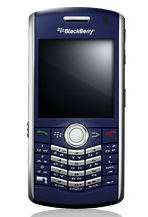
dan disinilah ibnux mendapatkan apa yang ibnux butuhkan. dan sekarang ibnux menggunakan BB 8110 yang membantu ibnux mencari jalan. gambarnya di paling atas.


So, bagaimana menurut anda? masih yakin untuk beli blackberry?
karena masalah utama tetap di uang

Selasa, 04 Oktober 2011

BlackBerry


BLACKBERRY

Beberapa hari belakangan ini, saya selalu di bayangi permohonan oleh seseorang rekan saya, “Tolong dong di info tentang BLACKBERRY, Saya belum Familiar sama blackberry, Strawberry baru saya tau..” J
Sebagai seorang Peng-Oprek Blackberry, saya merasa tertantang juga, ya.. sukur-sukur ada orang yang hubungi saya untuk “Hack” Blackberry..
OK Then, This is the Post About Blackberry..
BlackBerry adalah perangkat genggam nirkabel yang memiliki kemampuan layanan push e-mail, telepon selular, sms, faksimili Internet, menjelajah Internet, dan berbagai kemampuan nirkabel lainnya.
Blackberry pertama kali diperkenalkan pada tahun 1997 oleh perusahaan Kanada, Research In Motion (RIM). Kemampuannya menyampaikan informasi melalui jaringan data nirkabel dari layanan perusahaan telepon genggam mengejutkan dunia.
Blackberry pertama kali diperkenalkan di Indonesia pada pertengahan Desember 2004 oleh operator Indosat dan perusahaan Starhub. Perusahaan Starhub merupakan pengejewantahan dari RIM yang merupakan rekan utama Blackberry. Di Indonesia, Starhub menjadi bagian dari layanan dalam segala hal teknis mengenai instalasi Blackberry melalui operator Indosat. Indosat menyediakan layanan Blackberry Internet Service dan Blackberry Enterprise Server Pasar Blackberry kemudian diramaikan oleh dua operator besar lainnya di tanah air yakni Excelkom dan Telkomsel. Excelkom menyediakan dua pilihan layanan yaitu Blackberry Internet Service dan Blackberry Enterprise Server+ (BES+). BES+ adalah layanan gabungan dari BES dan BIS, ditujukan bagi pelanggan korporasi sehingga pelanggan dapat menerima dan mengirim email kantor yang berbasis Microsoft Exchange, Novel Wise, Lotus Domino dan 10 akun e-mail berbasis POP3/IMAP melalui telepon genggam. Sementara, operator Telkomsel hanya menyediakan Blackberry sebagai bagian dari layanan korporasi dengan Blackberry Enterprise Server. Pada awalnya, layanan Blackberry hanya bisa diakses melalui smartphone Blackberry saja. Tetapi seiring dengan berjalannya waktu, ketiga operator ini telah menyediakan fasilitas Blackberry Connect yang memungkinkan Blackberry Internet Solution diakses melalui smartphone jenis lain seperti Nokia (N-9500, N-9300, N-9300i, E61), Sony Ericsson P910i, M600i, Palm Treo, Dopod, dan lainnya. Sejauh ini, fasilitas Blackberry memang baru dimanfaatkan oleh para pengguna pribadi dan korporasi, belum merambah hingga bidang pemerintahan dan intelijen seperti di negara-negara lain.

Produk unggulan Blackberry

Produk yang menjadi andalan utama dan membuat Blackberry digemari di pasar adalah surat-e gegas (push e-mail). Produk ini mendapat sebutan surat-e gegas karena seluruh surat-e baru, daftar kontak, dan informasi jadwal (calendar) “didorong” masuk ke dalam Blackberry secara otomatis.
Seperti yang telah disebutkan di atas mengenai keunggulan dari Blackberry, yaitu push e-mail. Dengan push e-mail semua e-mail masuk dapat diteruskan langsung ke ponsel. E-mail juga sudah mengalami proses kompresi dan scan di server Blackberry sehingga aman dari virus. Lampiran file berupa dokumen Microsoft office dan PDF dapat dibuka dengan mudah. sebuah e-mail berukuran 1 MB, jika diterima melalui push e-mail dapat menjadi 10 kb dengan isi yang tetap. (RBA4762)
Pengguna tidak perlu mengakses internet terlebih dulu dan membuka satu persatu surat-e yang masuk, atau pemeriksaan surat-e baru. Hal ini dimungkinkan karena pengguna akan terhubung secara terus-menerus dengan dunia maya melalui jaringan telepon seluler yang tersedia. Alat penyimpanan juga memungkinkan para pengguna untuk mengakses data yang sampai ketika berada di luar layanan jangkauan nirkabel. Begitu pengguna terhubung lagi, Blackberry Enterprise Server akan menyampaikan data terbaru yang masuk.
Kelebihan lainya adalah kemampuan Blackberry yang dapat menampung e-mail hingga puluhan ribu tanpa ada resiko hang, asalkan masih ada memory tersisa.
Blackberry juga bisa digunakan untuk chatting. Mirip dengan Yahoo Messenger, namun dilakukan melalui jaringan Blackberry dengan memasukan nomor identitas.
Semua layanan Blackberry ini dikenal sangat aman baik e-mail, chatting, maupun browsing. untuk browsing internet data-data dari website sudah dikompresi sehingga lebih cepat dibuka.
Fasilitas lain yang menjadi andalan Blackberry adalah pesan instan. Yahoo Messenger, Google Talk dan Skype kini telah menjadi rekanan dengan Blackberry. Teknologi terkini memang memungkinkan kita untuk “mengobrol” (chatting) di internet melalui telepon genggam dan Personal Digital Assistant (PDA). Tetapi yang berbeda pada Blackberry adalah proses instalasi lengkap yang bisa dilakukan nya melalui jaringan nirkabel.
Keunggulan lain juga hadir melalui teknologi kompresi yang menyebabkan biaya akses menjadi murah dan pemberitahuan jawaban pesan melalui tanda getar pada Blackberry.
Penggunaan Blackberry semakin meluas dengan hadirnya fasilitas koneksi Blackberry (Blackberry Connect). Dengan Blackberry Connect, pengguna tidak lagi harus menggunakan perangkat genggam Blackberry untuk memanfaatkan Blackberry Internet Solution. Pengguna hanya perlu menginstalasi Blackberry Connect pada smartphone merek apapun yang dimiliki, kita bisa memanfaatkan Blackberry Internet Solution.

Sistem Operasi

RIM menyediakan sistem operasi multi-tugas (multi-tasking operating system - OS) bagi Blackberry yang memungkinkan penggunaan secara intens dari sebuah alat . OS menyediakan dukungan bagi MIDP 1.0 dan WAP 1.2. Versi sebelumnya memungkinkan sinkronisasi nirkabel melalui e-mail dan kalendar Microsoft Exchange Server, dan juga e-mail Lotus Domino. Sementara OS 4 yang terbaru merupakan pelengkap dari MIDP 2.0, dan memungkinkan aktivasi nirkabel lengkap dan sinkronisasi dengan e-mail, kalendar, daftar tugas, catatan dan buku telepon, serta tambahan dukungan bagi Novell GroupWise and Lotus Notes.

Perangkat Lunak

Blackberry menyediakan berbagai perangkat lunak yang dapat disesuaikan dengan kebutuhan operasi.

Blackberry Enterprise Server (BES)

Perangkat genggam Blackberry terintegrasi pada sistem e-mail yang terorganisasi melalui paket perangkat lunak yang disebut Blackberry Enterprise System (BES). BES dapat digunakan oleh jaringan e-mail yang berbasis Microsoft Exchange, Lotus Domino, dan Novell Group Wise. Khusus pada pengguna individu, mereka dapat menggunakan layanan e-mail nirkabel yang disediakan oleh provider tanpa harus menginstalasi BES. Para pengguna individu dapat menggunakan Blackberry Internet Solution tanpa harus menginstalasi BES di smartphone mereka. BES memang ditujukan bagi pelanggan korporasi dengan cakupan usaha yang besar. Perangkat lunak ini mengintegrasikan seluruh smartphone Blackberry pada suatu organisasi dengan sistem perusahaan yang telah ada. Keuntungan yang diperoleh adalah memperluas komunikasi nirkabel dan data perusahaan kepada pengguna aktif dengan cara yang aman.

BlackBerry Professional Software (BPS)

BPS merupakan komunikasi nirkabel dan kolaborasi solusi bagi usaha kecil dan menengah. Ia menghadirkan berbagai fitur yang dibutuhkan karyawan, dalam sebuah paket yang mudah dipasang dan harga yang lebih murah.

BlackBerry Internet Service (BIS)

Perangkat lunak yang diperuntukkan bagi pengguna pribadi ini memungkinkan Anda untuk mengintegrasikan smartphone dengan 10 akun e-mail yang berbasis Post Office Protocol (POP3) dan Internet Message Access Protocol (IMAP), menerima dan mengirim pesan instan, serta berselancar di Internet. Dengan BIS, kita juga dapat membuka tambahan data (attachment) dalam bentuk excel, word, powerpoint, pdf, zip, jpg, gif dengan tingkat kompresi data yang tinggi.

BlackBerry Mobile Data System (BlackBerry MDS)

sebuah aplikasi optimisasi pengembangan kerangka kerja untuk BlackBerry Enterprise Solution, menyediakan Anda sebuah alat pengembangan untuk membangun, menyebarluaskan, serta mengatur interaksi antara BlackBerry smartphones dan aplikasi perusahaan.

Jaringan Seluler

Smartphone Blackberry dapat beroperasi pada berbagai jaringan seluler berikut, yaitu

CDMA2000 1X Ev-DO

Jaringan CDMA2000 1X memungkinkan kita untuk memelihara koneksi jaringan nirkabel untuk layanan data. Jaringan ini menyokong layanan untuk data berkecepatan-tinggi, dirancang untuk komunikasi data di area luas serta menawarkan layanan suara berkualitas tinggi. Dukungan oleh Ev-DO (Evolution Data Optimized atau Evolusi Optimalisasi Data)

GSM/GPRS/EDGE/UMTS

Jaringan GSM/GPRS/EDGE/UMTS memungkinkan kita untuk memelihara koneksi virtual dengan jaringan nirkabel untuk layanan data. GPRS (General Packet Radio Service), EDGE (Enhanced Data rates for Global Evolution) dan UMTS (Universal Mobile Telecommunications System) adalah sebuah jaringan paket yang bisa dipakai bergantian, dirancang untuk komunikasi data pada area luas. sementara GSM (Global System for Mobile Communications) memberikan layanan suara berkualitas tinggi. UMTS, atau biasa dikenal sebagai 3GSM, memberikan sinkronisasi suara dan fungsionalitas data, memberikan dukungan bagi perpindahan data dengan kecepatan tinggi.

Mike

Jaringan Mike mengggunakan teknologi Digital Enhanced Network (iDEN) yang telah terintegrasi. Teknologi yang serba digital ini dirancang untuk menyediakan suara berkualitas tinggi serta transmisi yang berskala nasional

Mobitex dan Nextel

Jaringan Mobitex dan Nextel adalah jaringan yang dirancang untuk komunikasi data nirkabel pada area yang luas. Ia menyediakan cakupan yang luas dan penetrasi ke dalam gedung, pencarian data dengan mulus, pengiriman dan peneriman pesan dengan sangat cepat, serta layanan pesan tingkat lanjut yang dapat diandalkan.

Wireless Local Area

Wireless Local Area Networks (WLANs) beroperasi pada frekuensi yang tidak memiliki izin dan biasanya digunakan untuk mengalihkan kemacetan jaringan perusahaan di udara. Hal ini diperlukan untuk meminimalisir kebutuhan akan jaringan LAN yang tradisional. WLAN dirancang dengan tujuan agar departemen IT bisa mengatur jaringan nirkabel mereka sendiri, memungkinkan mobilitas internal bagi fasilitas yang diperuntukkan bagi karyawan perusahaan. Dengan adanya Voice over IP (VoIP), WLANs kini bisa digunakan untuk menghantarkan data maupun suara.

Wi-Fi

Smartphone yang menggunakan jaringan Wi-Fi hanya memungkinkan pengguna untuk mengakses internet di tempat-tempat yang berada dalam jangkauan jaringan Wi-Fi. Daerah yang berada dalam cakupan Wi-Fi biasanya disebut dengan istilah Hotspots. Hotspot bisa berupa daerah komersial seperti kafe dan restoran, fasilitas umum seperti rumah sakit dan sekolah, maupun daerah pribadi seperti rumah. Hadirnya sebuah jaringan baru seperti UMA (Unlicensed Mobile Access), atau dapat pula disebut GAN (Generic Access Network), menyediakan layanan perpindahan data(GSM®/GPRS/EDGE) melalui jaringan tanpa izin seperti Wi-Fi. Hal ini memungkinkan smartphone dengan jaringan Wi-Fi melakukan panggilan telepon ke jaringan GSM melalui jaringan Wi-Fi.

Model

Model Awal : 850, 857, 950, 957 Model Monokrom berbasis Java : seri 5000 dan seri 6000 Model Warna : seri 7200, seri 7500 dan seri 7700 Model dengan kemudahan mengetik : seri 7100 Model Blackberry Modern : seri Huron (8800), termasuk BlackBerry Pearl (8100) dan BlackBerry Curve (8300) Model Terkini (2008- ..) : Seri Bold (9000), Pearl Flip (8220), Storm, Javeline
Umumnya Blackberry dijual sepaket dengan nomor operator GSM seperti XL, Indosat, dan Telkomsel. Dengan demikian unit Blackberry dikunci dengan tiga operator. Namun ada juga unit Blackberry sebagai unit yang terpisah, alias sudah di-unlock sehingga bisa dipakai oleh seluruh operator. Blackberry seperti ini berasal dari luar negeri. (RBA4762)
Saat ini ada banyak tipe Blackberry yang ada di Indonesia. Tipe lama seperti 7290, 7730, dan tipe baru misalnya 81xx series, 83xx series, 88xx series, dan 87xx series. Yang terbaru adalah Blackberry 9000 alias Blackberry Bold.
Blackberry 83xx series (curve) yang ada di pasaran, misalnya Blackberry 8300, 8310, dan 8320. Blackberry 8300 hanya mempunyai kamera saja tanpa fitur tambahan lain. Blackberry 8310 memiliki kamera dan GPS. Sedangkan Blackberry 8320, yang merupakan tipe terlaris dari 83xx series, memiliki kamera dan WiFi.
Series selanjutnya adalah Blackberry 88xx series atau Huron. Dengan varian Blackberry 8800 dengan fitur GPS, dan 8820 dengan GPS dan WiFi.
Blackberry 81xx series atau Pearl memiliki varian 8100, 8110, dan 8120.
Model-model baru Blackberry adalah 87xx series. Terdiri dari Blackberry 8700 dan 8707. Tipe ini adalah Blackberry 3G yang pertama.

Crackberry

Crackberry berasal dari kata crack yang berarti kokain dan kata Blackbery. Kemudahan yang dihadirkan dalam mengakses e-mail dan pesan instan membuat para pengguna seringkali tak bisa lepas dari Blackberry. Efek yang dihasilkan membuat para pengguna tampak seperti orang yang kecanduan dengan Blackberry. Crackberry pun menimbulkan kekhawatiran akan perubahan ritme kerja menjadi tidak sehat.dan hilangnya keseimbangan hidup. Hal ini kemudian membuat beberapa pemerintahan negara membatasi bahkan melarang penggunaan Blackberry. Di Kantor Imigrasi dan Kewarganegaraan Kanada, pejabat memerintahkan karyawan untuk mematikan alat dari jam 7 malam hingga 7 pagi,hari libur dan akhir pekan. Hal ini untuk menjaga kesimbangan hidup karyawan. Pemerintah kemudian mengeluarkan panduan khusus dalam menangani kondisi darurat sehubungan pembatasan Blackberry. Sementara di Perancis, muncul larangan bagi para menteri untuk menggunakan Blackberry dengan alasan intelijen. Hal ini dapat dimengerti, mengingat di Inggris pemanfaatan Blackberry telah meluas hingga ke pelacakan nomor-nomor kendaraan serta foto-foto pelaku kriminal.
BALI FADJAR Celullar
Blackberry Hardware/Software Sales and Repair
PEACE MAS BRO

Iphone OS 2.2.1 Jailbreak

Sebelum anda berencana untuk men-Jailbreak atau JailBroken iPhone dan mencari Cara JailBreak iPhone, sebaiknya anda ketahui beberapa hal penting tentang Jailbreak iPhone. Seperti kita ketahui proses jailbreak iPhone akan memberikan beberapa keuntungan kepada pengguna iPhone. selain iPhone hasil Jailbreak bisa bebas dimodifikasi juga proses Jailbreak ini mampu mengurangi atau bahkan menghilangkan beberapa keterbatasan-keterbatasan yang dimiliki oleh iPhone.
Sebagai contoh dengan melakukan jailbreak terhadap iPhone, anda bisa bebas melakukan kirim file (entah lagu, foto) lewat bluetooth dengan smartphone lain, atau anda bisa membuat theme iPhone anda lebih menarik sesuai keinginan anda, juga dengan Jailbreak anda bisa membuat iPhone sebagai modem, malah anda bisa melakukan pembicaraan dengan Skype di iPhone lewat jaringan 3G. Singkatnya ada banyak aplikasi dan modifikasi yang akan membuat iPhone anda lebih powerful, lebih hebat dan lebih menarik jika anda men-Jailbreak iPhone anda.
Pertanyaanya sekarang apa akibat terburuk dari proses Jailbreak ini? Yang utama dan pertama mungkin dengan melakukan proses Jailbreak, garansi terhadap iPhone anda akan hilang, Kedua, proses jailbreak bisa membuat iPhone anda matot alias mati total. Bukan bermaksud menakut-nakuti, tapi bila anda berniat melakukan proses Jailbreak iPhone sebaiknya anda hati-hati dan teliti sebelum melakukannya. Cek dan re-cek mulai dari versi Firmware yang cocok dengan versi Baseband iPhone, sampai kepada proses ketika melakukan Jailbreak, tahap demi tahap harus benar-benar anda hapal dan mengerti.
Lalu bagaimana bila terjadi kegagalan pada saat proses Jailbreak iPhone? kegagalan terhadap proses Jailbreak iPhone bisa ditandai dengan tidak berfungsinya iPhone secara normal atau malah mati total. Bila setelah proses Jailbreak, iPhone anda masih bisa beroperasi tapi tidak berfungsi secara normal, anda mungkin bisa melakukan proses Restore (dengan menggunakan iTunes) untuk mengembalikan iPhone ke kondisi semula (factory setting) seperti sebelumnya terjadi proses Jailbreak.
Jadi, sebelum melakukan proses Jailbreak iPhone, sangat amat disarankan untuk anda belajar cara me-restore iPhone ke kondisi factory default, dengan demikian bila suatu saat terjadi kegagalan pada proses Jailbreak, anda tidak akan kelabakan dan bisa tetap tenang, toh anda sudah tau harus bertindak apa.
Jailbreak Iphone Versi 2.2.1 Baseband 2.30.03
Bahan Download-an:
1. Itunes.................................... Click here to download
2. Iphone firmware................. Click here to download (versi 2.2.1), here to 3.0.
3. Redsnow.............................. Click here to download
4. Cydia (optional).................. Click here to download
5. QuickPWN 3.0 (optional).. click here to download
6. winscp419 (optional).......... click here to download

7.
hjsplit (optional).................. click here to download
Pertama yang anda harus Lakukan adalah :
  1. Update Itunes anda ke versi 8.2.
  2. Update Iphone versi 2.2.1 anda ke versi 3.0. caranya? bisa anda lakukan via itunes. ketika Iphone terkoneksi Itunes, maka Itunes secara otomatis akan menyarankan anda melakukan proses Upgrade.
  3. Please sit back and relaks. ini akan memakan waktu yang cukup lama, karena software resmi dari Iphone berukuran besar yaitu sekita 245 mb.. ( anda bisa tinggal cuci atau nonton film biru,...he..he..)
  4. setelah iphone selesai anda upgrade, maka langkah selanjutnya adalah anda menginstal software unlock atau Jailbreak Cydia di PC atau Machintos anda.. inilah tahap yang penting dan amat memusingkan. maka kami ingatkan anda untuk berhati-hati.
  5. Software Cydia untuk OS 3.0 memang masih tahap BETA. yaitu perencanaan. jika anda mau menunggu, silahkan. namun saya sarankan anda untuk memakai aplikasi Jailbreak Redsnow 0.9.
  6. untuk instalasi redsow 0.9, anda cukup menginstal software tersebut di PC anda. jangan lupa, sebelum menginstal redsnow 0.9. anda harus menon-aktifkan dahulu Itunes anda.
  7. setelah anda menginstal redsnow, langkah selanjutnya adalah anda harus masuk pada sitem DFU IPhone. caranya, koneksikan redsnow 0.9., dan redsnow akan meminta anda untuk mengkoneksikan IPhone ke PC. lakukan sesuai perintah redsnow, baca dulu baru tekan next (he..he..). nah.. setelah itu barulah redsnow akan meminta anda memasuki sistem DFU Iphone. caranya adalah matikan Iphone, lalu tekan tombol power dan tombol home ( tombol bulat di bawah ) selama 10 detik. jika tangan anda lincah dan tidak ada dosa, maka redsnow akan menginstruksikan keberhasilan anda. jika tidak, redsow akan menyuruh anda mengulangi nya lagi..( capek deh..). jika anda sudah berhasil dalam tahap ini, selamat anda sudah berada dipuncak kemenangan.
  8. apakah selesai... belum.. langkah selanjutnya adalah, anda tinggal sit back and relax lagi selama kurang dari 5 menit.. (silahkan ngopi dulu..) kenapa, ketika proses instalasi jailbreak, itu berjalan dalam sistem DFU, anda harus menunggu lagi sampai proses restart Iphone.
  9. setelah Iphone restart,.. walah... Iphone anda sudah ber-versi 3.0..
  10. cape ah.. segini dulu.. besok saya akan sambung lagi dengan Link software download nya ya.. tapi kalu nggak sabaran.. bisa contact saya...he..he..COPAS punya Ttngga PEACE

Iphone 3.G Jaillbreak


Tutorials & Guides
3G iPhone 3.0 Jailbreak With Redsnow

1st Step : Download for Jailbreak Software
1. Itunes 8.0
2. Iphone Firmware 3.0
A jailbroken phone is an iPhone which has been modified to allow the user to install applications which are not released through Apple's App Store. This term called “jailbroken” This practice is not condoned by Apple, which regards it as copyright violation, and it will void the warranty on the phone, which means that if the phone is damaged or the software is corrupted, the user has no recourse through Apple.
A jailbroken phone is not the same thing as an unlocked phone. When a phone is unlocked, it means that it can work on any mobile network, and “unlocking” can refer to a wide variety of phones. When a phone is jailbroken, it specifically allows the user to install applications from sources outside the App Store. Should other producers of mobile phones follow Apple's lead with the App Store, presumably innovative techies will figure out how to jailbreak them as well.
Before you are going to jailbreak your Apple iPhone, you need to check whether the tools you use able to jailbreak the current iPhone firmware version installed on your Apple iPhone. The most popular and the only tools used by the iPhone users are pwnagetool, quickpwn, redsn0w and ultrasn0w created by the iPhone Dev Team. The tools are available in two operating system platforms that are windows and mac. Normally the mac version will released first follow by the windows version. I can only show you how to jailbreak the iPhone 3G on firmware 3.0 using Ultrasn0w 0.8 for windows version since I’m on XP. The steps for mac version are similar so you will not have problem to follow this tutorial, let’s get started.
It is recommended that you restore or update your Apple iPhone to the latest version of iPhone firmware provided the version is able to jailbreak. After restore completed, download iPhone firmware 3.0 for 3G and Redsnow 8 or Ultrasnow 0.7.2. Extract and save the downloads to your desktop so you can get the files easily.
After you preparing the downloaded files, close your iTunes and launch red snow 8 or Ultrasnow 0.72 and it will close iTunes automatically if you did not close it. On the Welcome page, click Browse button and locate the iPhone firmware 3.0. Please make sure it is for iPhone 3G. It will identify the firmware and state that IPSW successfully identified.
Click Next button, now it will patch the firmware and then check install Cydia or install Icy. You can choose to install both installers. For this tutorial, I will check install Cydia only and click Next button.

Then, please make sure your Apple iPhone is both connected to your computer and is switch off. If it is not, you can follow the instructions given.

Once it is done, you need to prepare to hold the sleep/wake and home buttons before you click Next button. If you are ready, then click the button and follow redsn0w instructions. This is to transfer the necessary files to your Apple iPhone in DFU mode to jailbreak the iPhone. The iPhone will automatically restart and you shall see Cydia installer on the iPhone home screen. If you did not manage to follow the steps for the first time, you can always start the steps all over again.
Update: Please refer to this guide if you want to unlock your Apple iPhone 3G.
Update 2: After jailbreak, you can setup Cydia installer and installing jailbroken applications on your iPhone

After I have jailbroken my iPhone, what next? You can setup Cydia and Icy installers for the first time. Based on this jailbreak tutorial, I have only selected Cydia installer as it is more stable than Icy installer. Therefore, for this tutorial I am going to show how you install the jailbroken apps using Cydia installer.
Before we continue, you need to make sure your iPhone is connected to the Internet as Cydia installer needs the connection to download the files to be installed on the iPhone. For iPhone 2G and those who had not subscribed to any mobile broadband, you can access the Internet through your home Wi-Fi connection. Go to Settings, Wi-Fi, select your home Wi-Fi and enter the password you have set (if any). For those who had subscribed to the broadband, your iPhone should have connected to the Internet. After your iPhone have the Internet access, set the Auto-Lock to Never because the connection will lose whenever the iPhone goes to sleep mode.
Once you are ready, launch Cydia installer. It will automatically close after reorganizing has completed. Restart Cydia and now you need to choose which category you are belong to. In this case, choose User (Graphical Only) and it will bring you the home page. Then, you can start to install the jailbroken apps by Section or search for specified apps. Take an example, you want to install OfflineMaps but you are not sure which Section it is in, go to the Search tab and type the name. Select it, press install button on top right corner and then press confirm. Cydia will download the necessary files to install and when it finished, press Return to Cydia and close it. The newly installed app icon will appear on your iPhone home screen. Please take note that few apps will not have the icon, so make sure you always read the description before install.
Now, make sure your Apple iPhone is connected to your home Wi-Fi to access the Internet and set Autolock to never to avoid the Wi-Fi connection lost.
Unlock Process:
* On your Apple iPhone, launch Cydia installer and update it if it is prompted to.
* After restarted Cydia installer, go to Manage, Edit and tap Add.
* Enter http://repo666.ultrasn0w.com/ to the text field and tap Add Source.
* Once the source has been updated, press Return to Cydia and then tap Done.
* On the Sources, select repo666.ultrasn0w.com from the list of Entered by User and you will see ultrasn0w package there.
* Select ultrasn0w, Install and tap Confirm. Cydia installer will install the ultrasn0w.
* Once installation completed, press Return to Cydia and restart your Apple iPhone.
Once it is done, insert your sim card and you will see there is network coverage on the signal bar. It means you have successfully unlocked your Apple iPhone 3G and you can try to make a call to your house telephone to ensure it works. :-)....COPAS PUNYA Tetngga"""""PEACE PLENDDDDD